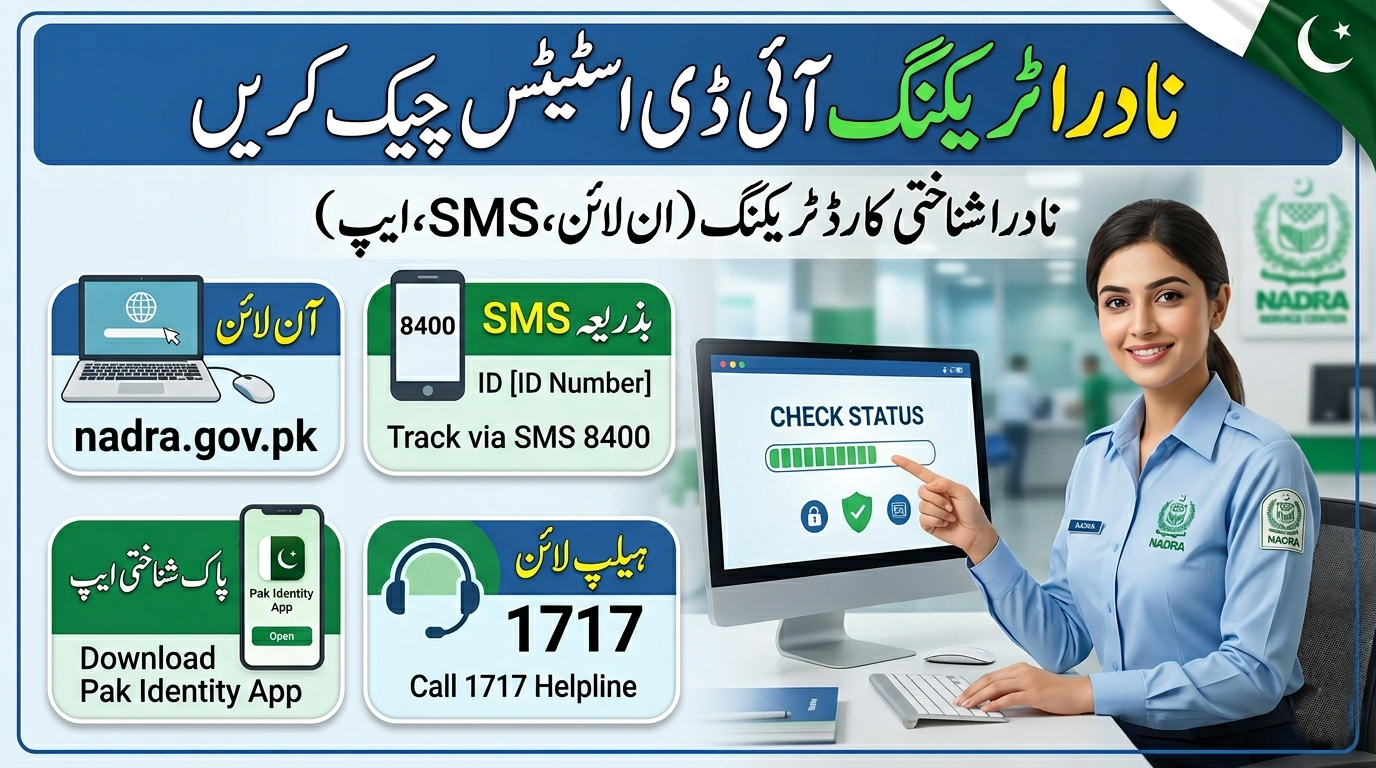
You can check your 10-digit NADRA tracking ID status by sending an SMS to 8400, using the official Pak-ID mobile app, or calling the NADRA helpline at 1777 (mobile). Keep your tracking ID private and only use these official channels.
Waiting for an identity document can feel stressful, especially when you need it for travel, banking, or official government business. The National Database and Registration Authority (NADRA) issues identity cards and certificates for Pakistani citizens. To keep applicants informed, the organization provides a dedicated tracking system.
When you submit an application, you receive a unique reference number. This number allows you to monitor exactly where your document is in the processing pipeline. You do not need to visit an office in person just to ask for an update. Instead, you can pull up your status from your phone or computer in a matter of seconds.
Understanding how to use this tracking system properly will save you time and prevent unnecessary frustration. This guide covers everything you need to know about checking your application status, paying your fees securely, and resolving common tracking issues.
What is a NADRA tracking ID and how does it work?
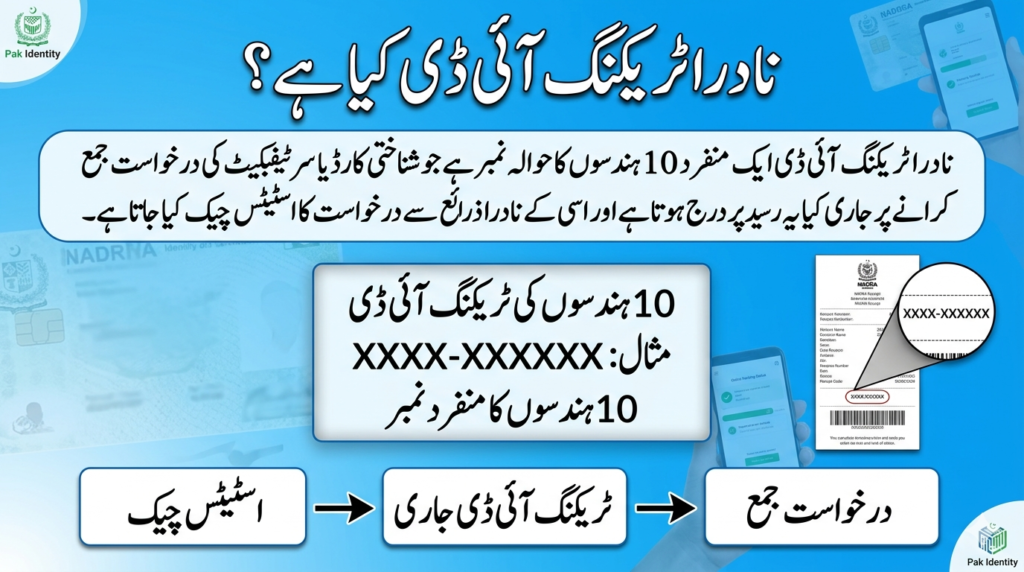
A NADRA tracking ID is a unique 10-digit code issued by the National Database and Registration Authority (NADRA) in Pakistan when you apply for identity documents like CNICs or passports. This ID helps you track the status of your application in real time via SMS or the online portal. It’s a simple tool to monitor your progress through NADRA’s system, saving you time and effort.
NADRA Tracking ID?
A NADRA tracking ID is the unique code printed on your receipt when you apply for identity documents like a CNIC or NICOP. You cannot track your application without it.
How to Check Your NADRA Application Status
You have three official methods to check the status of your application. Choose the method that best fits your current location and internet access.
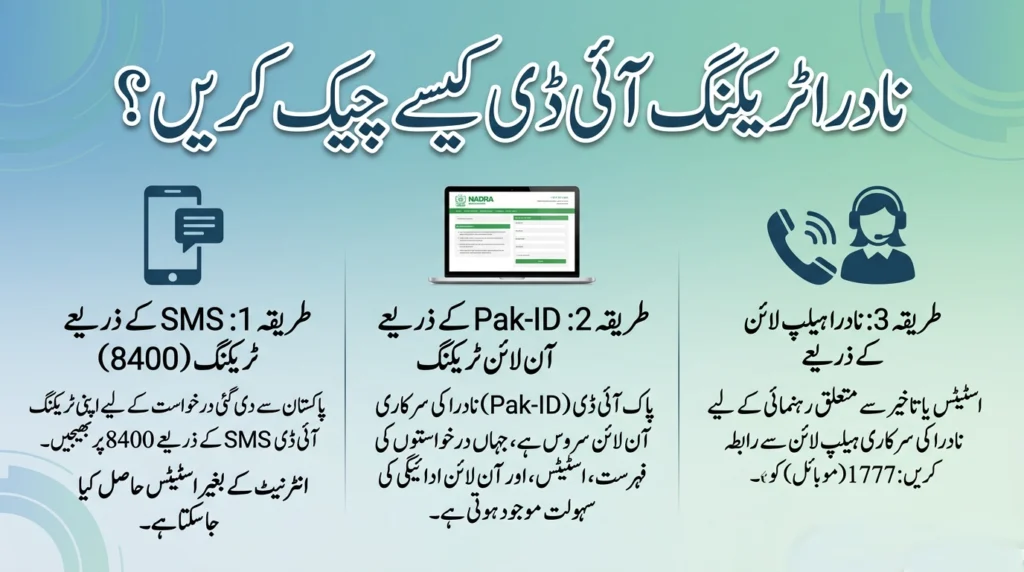
How do I check my tracking status using SMS (8400)?
If your application was submitted from within Pakistan, the fastest offline method is text messaging. Choose the SMS method if you do not have an active internet connection but have cellular service.
To track your application via text, open your phone’s messaging app. Type your 10-digit tracking ID and send it to 8400. Within a few moments, you will receive an automated reply detailing the current processing stage of your identity document.
اہم نوٹ: یہ ایک غیر سرکاری معلوماتی ویب سائٹ ہے۔ اس کا نادرا یا حکومت سے کوئی الحاق نہیں ہے۔ نادرا کی تمام سروسز، جیسے کہ درخواست جمع کرانا، ادائیگیاں اور ٹریکنگ، صرف ان کی آفیشل ویب سائٹ کے ذریعے ہی سرانجام دیں۔
How do I check my status online using the Pak-ID app?
Pak Identity (Pak-ID) is the official online identity issuance service. Choose the Pak-ID mobile app if you submitted your application online or if you want a centralized inbox to manage multiple applications and digital payments.
You can download the Pak-ID app from the Google Play Store for Android devices or the App Store for Apple devices. Once installed, log into your account. Enter your 10-digit tracking ID into the search or tracking field to view the latest updates. The app also allows you to complete biometric verification and upload required documents.
What is the official NADRA helpline number for tracking?
Sometimes automated systems do not provide enough context, especially if your application faces a delay. In these situations, you can speak directly with a customer service representative.
Mobile users in Pakistan can dial 1777. If you are using a landline or calling from overseas, dial +92 51 111 786 100. Have your tracking ID ready before the agent answers the call, as they will need this 10-digit number to locate your file.
How do I pay my NADRA fee using a tracking ID?
When you apply online through the Pak-Identity website or app, you will eventually reach a payment stage. The system uses your tracking ID to link your payment directly to your application. Accepted payment methods include credit or debit cards, eSahulat franchises, EasyPaisa, and JazzCash.
Please note that eSahulat, EasyPaisa, and JazzCash are only available for Smart National Identity Card (Smart NIC) and Family Registration Certificate (FRC) applications.
How to pay via credit or debit card
Choose this method if you want to pay instantly from your computer or smartphone using a Visa or Mastercard.
- Proceed to the payment stage on the Pak-Identity website or mobile app.
- Enter the cardholder’s details, including name, address, email, and contact number.
- Input your debit or credit card details.
- Complete the One-Time Password (OTP) verification sent by your bank.
- Submit the payment to continue your application process.
How to pay using eSahulat
Choose eSahulat if you prefer paying with physical cash at a local franchise. This option is restricted to Smart NIC B-From and FRC applications.
To complete your application process, start by reaching the payment stage on the Pak-Identity platform. Then, head to any authorized eSahulat franchise conveniently located in your area. Give the agent your 10-digit application tracking ID for accurate processing. Pay the required fee in cash to finalize this step. Once done, log back into your Pak-Identity account to verify the payment and seamlessly proceed with the next stages of your application.
How to pay using EasyPaisa
Choose EasyPaisa if you use this popular mobile wallet and are applying for a Smart NIC or FRC.
- Navigate to the payment stage on the Pak-Identity platform.
- Open the EasyPaisa app on your smartphone.
- Select “NADRA Fee” from the menu.
- Choose the “NIC Fee Payment” option.
- Enter your 10-digit NADRA Tracking ID.
- Carefully review the billing details to confirm their accuracy.
- Tap “Pay Now” to finalize your payment.
- The payment will automatically be linked to your NADRA Tracking ID.
How to pay using JazzCash
Choose JazzCash if it is your preferred mobile wallet for Smart NIC and FRC applications.
- Access the payment stage on the Pak-Identity platform.
- Open the JazzCash app and search for “NADRA.”
- Choose the “NIS” option from the menu.
- Input your NIS Ticket ID, which corresponds to your Pak-ID Tracking ID.
- Verify the details provided and finalize the transaction.
What should I do if my NADRA tracking ID does not work?
If you enter your tracking ID and the system returns no results, do not panic. This usually means the tracking system cannot locate your specific file at that exact moment.
A tracking ID may fail to work for several reasons. You might have accidentally typed the wrong digits. Alternatively, if you just submitted your application, the data may not have synchronized with the tracking system yet. Temporary server maintenance can also disrupt tracking services.
First, carefully recheck the receipt to ensure you are entering the exact 10-digit number. If the digits are correct, wait a few hours and try again. If the tracking ID still does not work after 24 hours, contact official support using the helpline numbers provided earlier.
How do I register complaints about NADRA tracking issues?
If you experience prolonged delays, incorrect tracking statuses, or payment failures, you should report the issue directly to the National Database and Registration Authority.
The customer service team is available 24/7. You can call the mobile helpline at 1777 or the landline at +92 51 111 786 100. Alternatively, you can send an email detailing your issue to csd@nadra.gov.pk. For the fastest resolution, always include your 10-digit tracking ID in your correspondence so the support team can investigate your specific case immediately.
How do I know when my Pakistani ID is ready for collection?
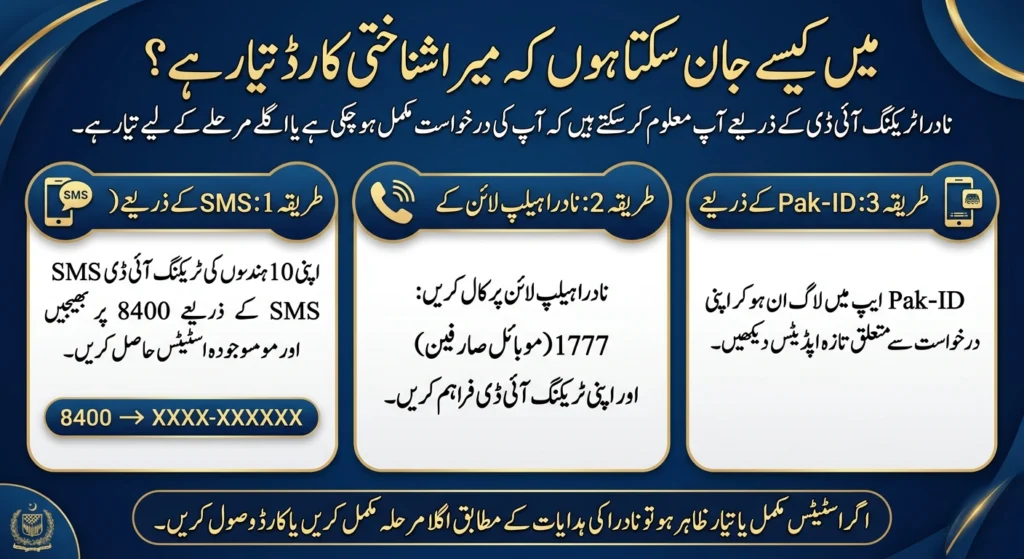
You will know your identity document is ready when the tracking status officially updates to “completion” or “readiness.” You can verify this final status by sending an SMS to 8400, calling the helpline, or checking the Pak-ID app.
Once the system indicates the document is ready, follow the provided instructions to collect it from your designated registration center or track its delivery via courier.
Next steps for managing your identity application
Tracking your application is a straightforward process once you understand how the 10-digit reference number functions. Whether you prefer the simplicity of an SMS message or the comprehensive dashboard of the Pak-ID app, staying informed helps you avoid unnecessary delays. Keep your reference number secure, use the correct payment methods, and reach out to official support channels if you encounter any technical hiccups.
Disclaimer: trackingidcheckonline.pk/ is an independent informational website and is not affiliated with NADRA or any government authority. We do not process applications or provide official tracking services. Users must use official NADRA channels for applications, payments, and status updates.
Frequently Asked Questions
Can I check NADRA tracking without a Tracking ID?
No, you cannot check your application status without a valid tracking ID. The official systems require this specific 10-digit number to locate and display your application data.
Is it safe to share my NADRA Tracking ID online?
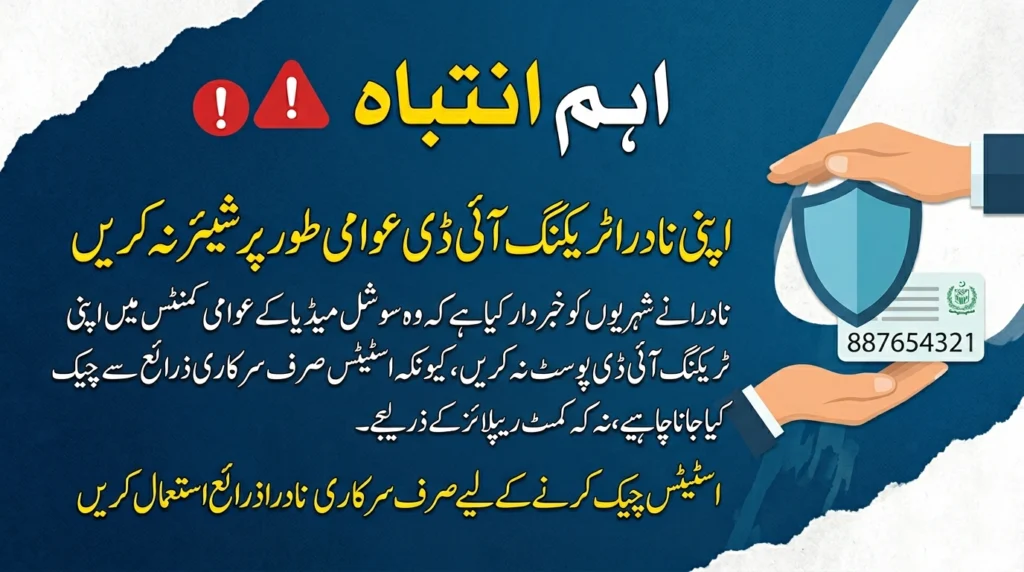
Never, sharing your tracking ID publicly is not safe. The tracking ID is directly linked to your personal application record. It should only be used for official applications, SMS services, or shared with authorized helpline representatives.
Why is my NADRA tracking status not updating?
Your tracking status may not update immediately during the early processing and verification stages. System delays can also cause lag. Status updates generally appear only after the application successfully progresses from one internal department to the next.
How many digits are in a NADRA Tracking ID?
A standard NADRA Tracking ID consists of exactly 10 digits. You must enter all 10 digits correctly to retrieve your application status through the official tracking channels.